Website Maintenance & Technical Support in Nepal
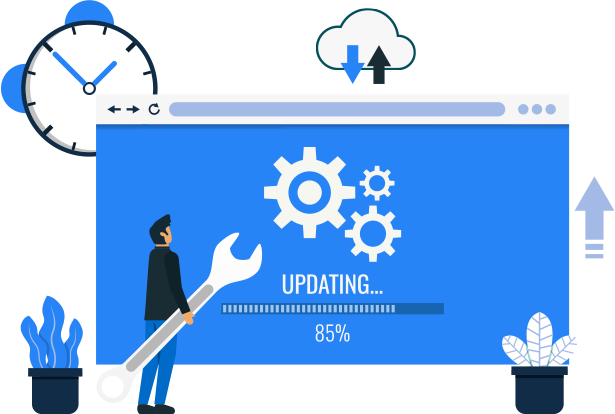
Your website or web application needs care long after launch. I keep it secure, fast, and working, with bug fixes, updates, backups, monitoring, and a developer you can actually reach. With 20+ years of experience, I look after custom systems, including ones built by other developers.
20+ years of experience
Building and supporting live production software.
Direct access to the developer
No helpdesk layers between you and the person fixing it.
You own everything
Code, servers, and accounts stay in your name.
Clear, regular reporting
You always know what was done and why.
Why it matters
Launching is the start of the work, not the end of it
Every website and web application needs regular care. Servers change, browsers update, libraries release security fixes, and your business keeps moving. When nobody is looking after these things, small problems quietly grow into outages, slow pages, or security incidents.
I provide ongoing maintenance and technical support for websites, web applications, APIs, and custom business software. Sometimes that is software I built. Just as often, it is a system built by another developer or agency that needs a reliable person to take over.
With more than 20 years in web development, I know what usually goes wrong and where to look first. That saves time, and it means you get a clear answer instead of a guess.
You work directly with me. There are no account managers and no ticket queue that goes nowhere. You explain the problem, I look into it, and I tell you plainly what I found and what it will take to fix it.
What Ongoing Maintenance Actually Covers
Maintenance is not only fixing bugs. It is four different kinds of work, and a healthy system needs all of them.
Fix what is broken
When something stops working, you need it found and fixed quickly, without breaking something else in the process.
- Bugs, errors, and crashes
- Broken forms, checkout, and login problems
- Data and database issues
- Urgent fixes after a failed update
Prevent problems before they happen
The cheapest problem is the one that never reaches your customers. Regular checks catch issues while they are still small.
- Security patches and updates
- Backups and restore checks
- Uptime and error monitoring
- SSL, domain, and hosting renewal checks
Keep up with change
The world around your software keeps changing. Your application has to change with it, or it slowly stops working.
- PHP, Laravel, and Node.js version upgrades
- New browser and device support
- Third-party API and payment gateway changes
- Hosting and server migrations
Improve what you already have
Once real users are on the system, you learn what could be better. Ongoing support gives you a way to act on that.
- Small features and workflow changes
- Speed and performance improvements
- Design and usability tweaks
- Code cleanup to make future changes easier
What I Look After
A practical checklist of the things that keep a live website or application healthy. Which items apply to you depends on your system and the plan we agree on.
Security updates and patches
Keeping frameworks, libraries, and server software patched against known vulnerabilities.
Backups and restore tests
A backup you have never restored is only a hope. I check that yours actually works.
Uptime and error monitoring
Getting alerted when something fails, ideally before your customers notice.
Bug fixing
Tracing the real cause of a problem and fixing it properly, not just hiding the symptom.
Framework and version upgrades
Moving old PHP, Laravel, CodeIgniter, or Node.js applications forward in safe, tested steps.
Server and hosting support
Configuration, deployments, migrations, and troubleshooting on your hosting or cloud server.
Speed and performance checks
Spotting slow pages, heavy queries, and growing resource use before they become real problems.
Third-party integrations
Fixing and updating payment gateways, APIs, email services, and other connected tools.
SSL, domain, and renewals
Making sure certificates and renewals do not quietly expire and take your site offline.
Log and error review
Reading the logs for warning signs that a dashboard will not show you.
Content and small changes
Text, image, layout, and small feature updates, without needing a full project each time.
Monthly reporting
A short, plain-language summary of what was done, what was found, and what to plan for next.
How a Problem Gets Handled
A simple, predictable process, so you always know what is happening and what comes next.
- 1
Report it
Send me what happened, with screenshots or error messages if you have them.
- 2
Check and prioritize
I reproduce the problem, confirm how serious it is, and tell you what I found.
- 3
Fix it
I fix the cause, working on a copy first when a change is risky.
- 4
Test and release
The fix is tested, then released carefully with a way back if something unexpected happens.
- 5
Report back
You get a short note on what was wrong, what changed, and how to avoid it next time.
Not Every Issue Is Equally Urgent
Issues are handled by priority, so the ones hurting your business most are always looked at first.
Site or app is down, payments are failing, or data may be at risk.
Handled first, ahead of everything else.
An important feature is broken, but the business can still run.
Scheduled ahead of normal requests.
Small bugs, questions, and minor changes.
Planned into the regular work queue.
Response times for each level are agreed with you in writing before support starts. I do not make promises I cannot keep.
Ways to Work Together
Every system is different, so there is no one-size-fits-all package. These are the three common ways I work, and we can adjust any of them.
Health Check & Audit
One-time review
A good first step, especially if you have taken over a system from someone else. I review your application and give you an honest picture of its condition.
- Code, security, and server review
- Backup and recovery check
- Written report with prioritized recommendations
Monthly Support Plan
Reserved time every month
Best for websites and applications that your business depends on every day. You get reserved time, so problems are looked at quickly and upkeep never gets postponed.
- Reserved hours each month
- Priority for urgent issues
- Updates, backups, and regular checks
- Monthly summary report
- Fixed monthly cost, agreed upfront
On-Demand Support
Pay only when you need help
A good fit for stable systems that only need occasional attention. There is no monthly commitment, and you contact me when something comes up.
- Hourly or per-task work
- Quote given before larger jobs
- No long-term commitment
- Availability depends on my current schedule
Cost depends on the size and complexity of your system. Tell me about it, and I will suggest the option that fits and give you a clear estimate.
Your Business Should Never Depend on One Person
A common worry with freelancers is being left stuck when they are busy or unavailable. Here is how I set things up so that never happens to you.
You own the code and accounts
Repositories, servers, domains, and hosting stay in your name. I work with access you grant, and you can remove it at any time.
Everything is documented
Setup notes, deployment steps, and how the system fits together are written down, so another developer can pick it up quickly.
Every change is tracked
Work is kept in version control, so any change can be reviewed, explained, or undone if needed.
Backups you can reach
Backups are stored somewhere you have access to, not only on a system that depends on me.
Plain-language communication
I explain problems and fixes in simple terms, so you can make good decisions without needing a technical background.
A clean handover, any time
If you ever want to move to another developer or team, I will hand everything over properly. You are never locked in.
Systems and Technologies I Support
I can maintain applications built with the technologies below, whether I wrote them or not.
Do not see yours? Send me the details. I can usually review it and tell you quickly whether I can help.
Frequently Asked Questions
What does ongoing maintenance include?
It usually covers security updates, backups, monitoring, bug fixes, version upgrades, server support, and small improvements. The exact list depends on your system and what we agree together.
Can you maintain a system another developer built?
Yes, and it is very common. I usually start with a short health check to understand the code, the server, and any risks. After that, I can give you a clear plan for looking after it.
What is the difference between maintenance and support?
Maintenance is planned upkeep, such as updates, backups, and checks, that keeps things healthy. Support is help when something goes wrong or when you need a change. Most systems need both.
How quickly will you respond when something breaks?
It depends on how serious the issue is and which plan you are on. Critical problems, such as a site being down, are handled first. Response times for each priority level are agreed with you in writing before support begins.
Do I need a monthly plan, or can I pay only when I need help?
Both options are available. A monthly plan suits systems your business relies on every day. On-demand support suits stable systems that only need occasional attention.
How much does it cost?
Cost depends on the size of your system, the technology, and how much support you expect to need. After reviewing your setup, I can give you a clear estimate so there are no surprises.
Will I be able to see what you changed?
Yes. Work is tracked in version control, and I send a short summary of what was done. On monthly plans, you also receive a regular report.
What happens if you are unavailable or busy?
I plan my availability honestly and tell you in advance if I will be away. Because everything is documented and you own the code and accounts, another developer can step in if ever needed. You are never locked in.
Can you upgrade an old PHP, Laravel, or CodeIgniter application?
Yes. Old applications can usually be upgraded in safe, tested steps instead of being rebuilt from scratch. After reviewing your code, I will tell you honestly whether an upgrade or a rebuild makes more sense.
Do you work with clients outside Nepal?
Yes. I work remotely with clients in different countries. We agree on communication hours and how to reach me for urgent issues when we start.
Related Services
Maintenance works best alongside a well-built, well-optimized application.
Need Someone to Look After Your Website or Application?
Tell me what you are running, what is worrying you, and how it is hosted. I will review the details and suggest a practical support option, with no pressure and no jargon.
Custom Software Application Services
Whether you're starting fresh or enhancing an existing system, I offer custom software development services built to match your goals. From responsive web apps to powerful backend solutions and mobile integrations, explore how each service can help your business move forward with confidence.

Auction & Bidding Software Development
With 15+ years of experience in auction software development, I build secure, scalable auction and bidding platforms tailored to your business rules and requirements. My expertise includes real-time bidding, auto-bidding, countdown timers, notifications, payment gateway integration, and fully customized solutions for marketplaces and auction-based businesses.
View page
Freelance E-commerce Developer in Nepal
I build custom online stores that are secure, fast and easy to manage: catalog, cart, checkout, payments and an admin panel, from one developer you can talk to directly. A store designed to grow your business, with 20+ years of web development behind it.
View page
Freelance Website Developer in Nepal
From a personal portfolio or a startup landing page to a complex web platform, I build high-quality, SEO-friendly websites with clean architecture and strong technical foundations, and I support you from the first idea to launch and beyond.
View pageTechnical Skills
Technologies and tools I use to deliver reliable, high-quality web and mobile application for clients worldwide.

PHP

Laravel

CodeIgniter

WordPress
Node.js

NestJS

JavaScript

TypeScript

React

React Native

Next.js

Vue.js

Bootstrap

Tailwind CSS

MySQL

MongoDB

PostgreSQL

HTML

CSS

jQuery

GitHub
VS Code

AI

Claude